
A FACE FOR
YOUR NEXT AD.
Turn connected text into a talking video.
Novastorm Avatar requires Designer or Admin access and a supported GPU setup.
AI-generated video examples. They are not recordings of the workflow shown below.
AI-generated videos · Tap to watchThe creator collection / 78 UGC templates
LIFE IN FRAME.
MADE WITH AI.
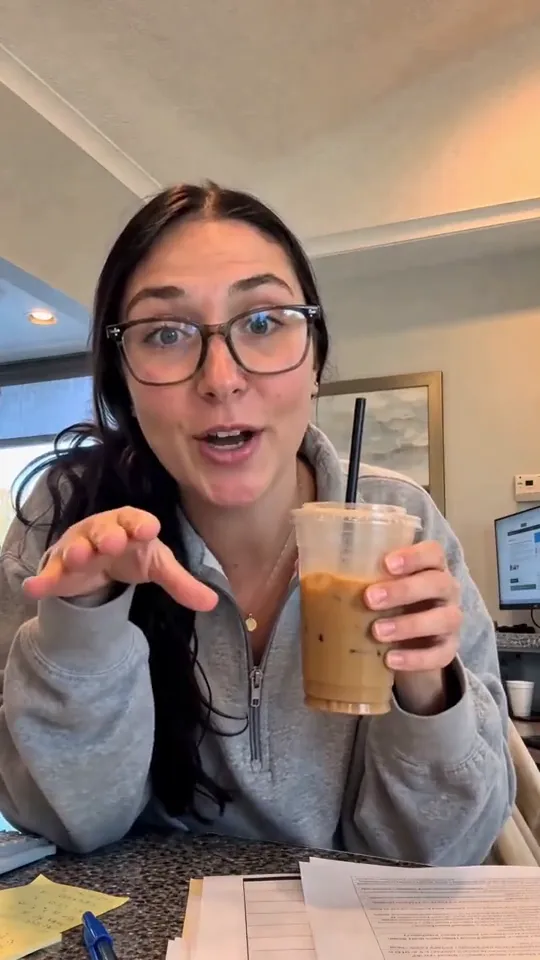
From a morning coffee to a weekend away. Explore videos with a lifestyle creator feel.
01 / Connect the ingredients
GIVE YOUR
IDEA A VOICE.
Write what they say and add a photo. A voice sample is optional. Nova makes the video with sound.
“Your morning coffee shouldn’t feel like another task. Make a little room for a slower start. Meet your new daily ritual.”
A photo of the person
A voice sample, if you have one
Turns the script into a talking video.
02 / Make it an ad
TRIM, CAPTION
AND JOIN
YOUR CLIPS.
Keep working in the same graph. Trim your take, add your message, connect the next clip.
- 01Video Trim
Keep the best take.
Choose where the clip starts and ends.
- 02Caption Burn-in
Put your words on screen.
Connect the text you want in the video.
- 03Merge Videos
Bring the story together.
Join your clips. Set Audio to Keep to preserve each clip’s sound.
03 / Make the next version
NEW SCRIPT.
SAME WORKFLOW.
Reuse the portrait and voice reference with a new script. Generate and review the next take.
Novastorm Avatar requires Designer or Admin access and a supported GPU setup. GPU rental may incur separate charges.
How to Write a Creative Brief for AI Image Generation
Turn an open-ended request into a useful AI image brief with a subject, purpose, composition, constraints, and concrete review criteria.
Read guide Video productionAn AI Video Quality Checklist Before You Publish
Review AI video for subject identity, motion, frame defects, readable text, and final delivery quality before approving a clip.
Read guide Model comparisonHow to Compare AI Video Models on One Brief
Evaluate AI video models with a shared source image, motion brief, and review checklist for identity, temporal stability, and usable footage.
Read guide